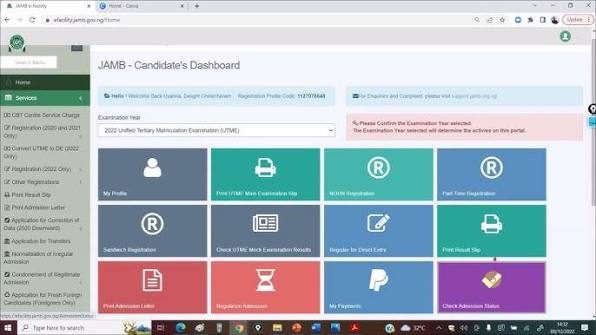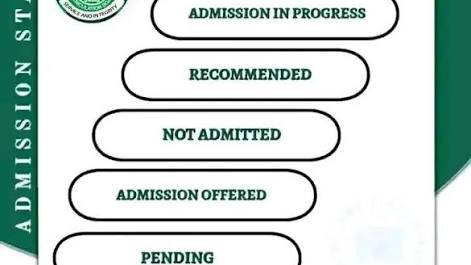
If you are waiting for admission into a university, polytechnic, or college of education in Nigeria, you will be checking your JAMB CAPS portal a lot. One of the most common messages you will see is “Admission in Progress” (AIP).
Seeing this message can make you feel both excited and nervous. It is good news, but it does not mean you have been officially admitted yet. This guide explains exactly what this status means, why it takes time, and what you must do to protect your admission.
What Does “Admission in Progress” Actually Mean?
When your JAMB CAPS shows “Admission in Progress,” it means the school you chose wants to admit you.
They have checked your UTME score, your Post-UTME score, and your O’Level results (WAEC, NECO, or NABTEB), and they are happy with your performance. Your profile has now been sent from the school’s computer system to the main JAMB office for final checking and approval.
Think of it like applying for a job: the manager wants to hire you, but they are just waiting for the big boss at the headquarters to sign the final paperwork.
The Three Steps Your Admission Must Go Through
Your admission goes through a clear chain of commands before it becomes official. Here is how it moves:
Step 1: School Recommendation: The school picks you and tells JAMB, “We want this student.” Your status changes to “Admission in Progress”.
Step 2: JAMB Vetting: JAMB officers look at your file to make sure everything follows the rules. They check if you met the school’s cut-off mark and if the school did not exceed its student quota.
Step 3: Final Approval: Once JAMB confirms that everything is correct, your status changes to “Admitted”. You will see a big “Congratulations!” message on your screen.
Why is Your Portal Stuck on “Admission in Progress”?
It is very normal to see this message for weeks. If your friends are already getting admitted and yours is still showing “In Progress,” do not panic. It usually happens for three reasons:
1. Admissions are Released in Batches
Schools do not release all names at the same time. They usually start with the Merit List (students with the highest scores), followed by the Catchment List (students from nearby states), and finally the Supplementary List. Your name might just be in a batch that JAMB hasn’t finished checking yet.
2. Missing O’Level Results
This is the biggest reason students miss out. JAMB uses a computer system that automatically blocks your admission if your O’Level results are missing or not properly uploaded on your JAMB profile. If your results are not there, your status will stay stuck in progress until the admission window closes.
3. Course Capacity Limits
Every school has a strict limit on how many students they are allowed to take for each course. If a school mistakenly pushes forward too many students, JAMB will pause the entire list until they sort out the space issues with the school.
What You Must Do Right Now (Your Checklist)
Do not just sit back and wait. You need to be proactive to make sure nothing goes wrong:
Check Your O’Level Upload: Log into your JAMB portal, go to CAPS, and click on ‘My O’Level’. Make sure your grades are showing there. If you see “No Result Found” or a blank page, go to an accredited JAMB CBT centre immediately and upload it again.
Check the ‘Transfer Approval’ Tab: Sometimes, a school might not have space for you in your original course (like Medicine or Law) and will offer you a different course (like Anatomy or Sociology). This offer will not show on your main page. It stays under the ‘Transfer Approval’ tab. If you do not click ‘Accept’ there, your admission will stay stuck forever.
Look at the School Portal: Sometimes, schools publish names on their own official website before the JAMB CAPS portal updates. Check your post-UTME portal on the school’s website to see if you have been shortlisted there.
What to Do When the Status Changes to “Admitted”
When JAMB finally approves it, you will see two buttons: Accept Admission and Reject Admission.
[ Admission in Progress ]
│
▼
[ Admitted ]
│
┌──────────┴──────────┐
▼ ▼
[ Accept Offer ] [ Reject Offer ]
│ │
▼ ▼
(Get your JAMB Letter) (Go back to the pool)
If you want the school, click Accept. This allows you to print out your official JAMB Admission Letter, which you will need for physical screening at the school. If you click Reject, your admission is cancelled, and you will be placed back into the general marketplace for other schools to pick you.
Important Warning
Never pay anyone who promises to help you change your status from “Admission in Progress” to “Admitted.” No agent, lecturer, or staff can force the JAMB CAPS system to move faster. It is an automated process, and paying someone will only lead to losing your money.
Just keep your details updated, check your portal regularly, and use a computer or set your mobile browser to “Desktop Site” mode so you can see all the hidden tabs properly.